
📣 Release Notes – Version 4.1.0 (Major Update)
This major release introduces powerful new tools for image annotation, enhanced post interactions, and smarter notification handling — all designed to improve usability, clarity, and overall experience throughout the app.
12/10/20252 min read
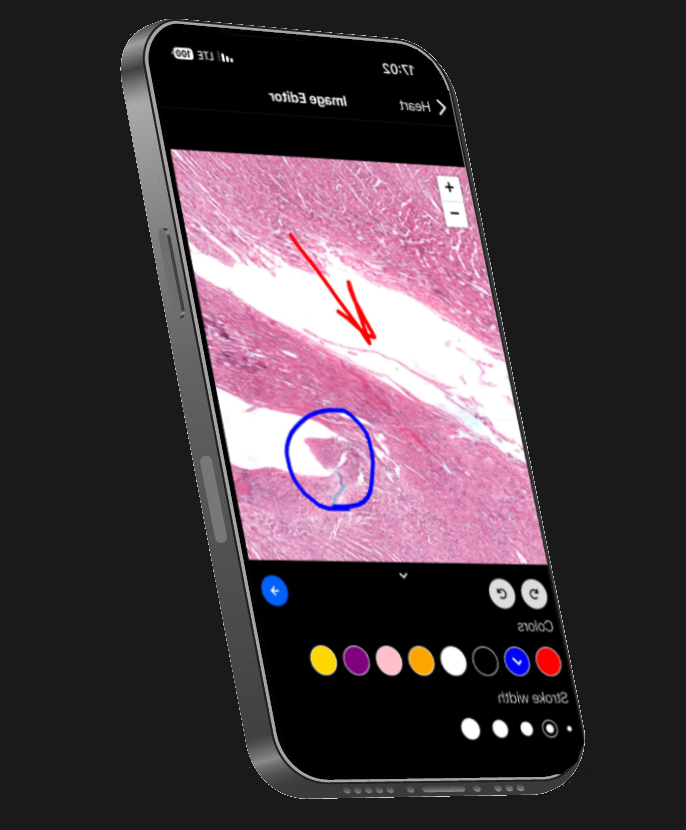
✨ New: Image Annotation Tools (Users + Admins)
Anywhere users can attach a photo when asking a question, a brand-new image annotation editor is now available.
Admins can also annotate images directly inside the Question Details panel.
🛠 Annotation Features
Users and admins can now:
✏️ Draw freehand in multiple colors
📝 Add text in customizable colors
➡️ Insert arrows with selectable styles & colors
🔄 Undo / Redo
🧹 Clear all annotations
💾 Save changes as a separate edited image
🖼 Photo Handling Logic
To ensure image integrity and clean history:
Maximum 2 photos per question
Photo #1: Original (never modified)
Photo #2: Annotated version
Re-editing always overwrites only the second, annotated file
Admins can delete the edited image → system automatically reverts to the original only
All saved edits export as new JPG/PNG files
Backend updated to fully support storing and deleting the second image
📦 Required Dependency
This feature uses:
@shopify/react-native-skia
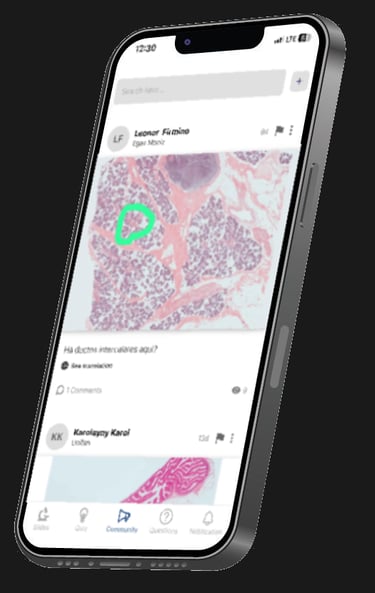
👁 View Original Slide (Posts with Slide Images)
Posts created from the slide library now include a new “eye” icon on the bottom-right of the slide image.
🔍 What it does
Tapping the icon opens the full-screen slide viewer
If the user is subscribed → full-screen slide opens immediately
If not subscribed:
Free slide → open normally
Premium slide → redirect to the subscription / purchase screen
The viewer uses the same design and interaction as the existing slide modal (swipe down or tap outside to close).
🔔 Improved Notification Logic
The Notifications tab now behaves exactly as expected:
✅ What’s fixed
Opening the Notifications tab no longer clears the entire badge count
Tapping a notification reduces the badge count by exactly 1
Only the tapped notification is marked as seen
Background colors were removed for consistency with the app’s visual language
🧪 Previous issues addressed
Badge disappeared fully on tab open
Clicking one notification incorrectly marked all as read
🚀 Summary
Version 4.1.0 delivers:
A complete image annotation system for users & admins
Enhanced slide-based post viewing with subscription-aware access
Accurate notification reading behavior
Multiple UX/UI improvements across the app
This is one of our most powerful and experience-focused updates yet.

Follow
Contact
info@microlab.ink
© Microlab-copyright 2026
